
Data Table — PAM Native UI
PAM Native UI · Android evidence
p-data-table rendered by the production retained-native pipeline. The specimen below is a real Physical Samsung SM-G973F Android 12 (API 31) capture at 420 dpi, not an HTML recreation.
Physical Samsung layout and component route verified
- Family
- Data display
- Module
data-table- PHP facade
PDataTable- Native targets
- Android · UIKit
Data display component rendered through the retained-native Android and UIKit pipeline.
Android specimen
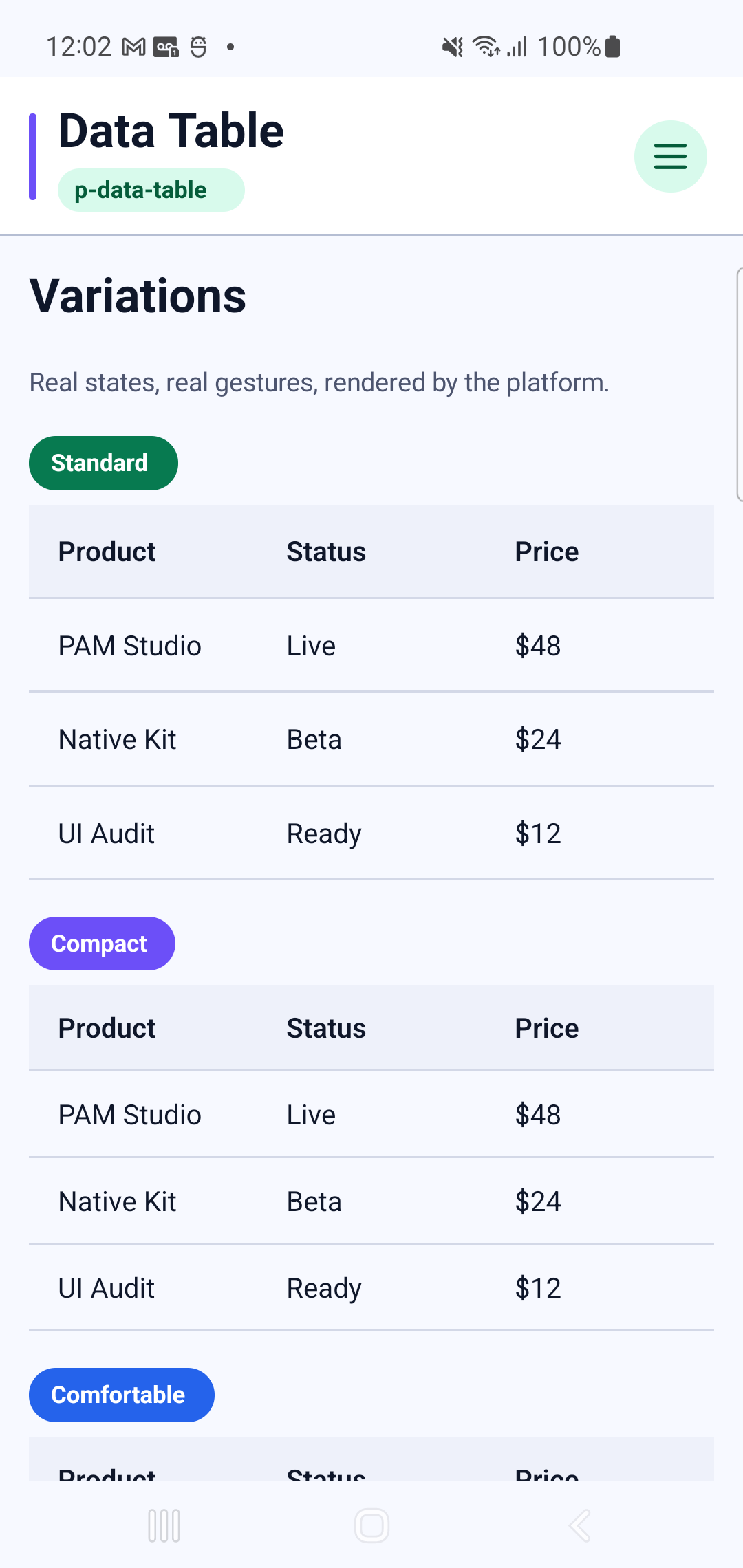
This is a static or anatomical component. Its Android evidence is the rendered specimen; no synthetic interaction recording is published.
Showcase profiles
Every profile below is rendered by the Android catalog route shown above.
- Standard
- Compact
- Comfortable
- Striped
- Selectable
- Loading
- Empty
- Mobile
PHP usage
use Pam\MobileUi\Material\PDataTable;
use Pam\Native\UI\Text;

PDataTable::make(
    [
        'accessibilityLabel' => "PDataTable preview",
        'density' => "compact",
        'itemHeight' => 52,
    ],
    Text::make('Data Table'),
);
The equivalent PAM template entry point is <p-data-table>…</p-data-table>.
See the PAM Native UI guide for event, state and styling conventions, and the quality contractfor native behavior requirements.
Component properties
| Property | Observed type | Showcase values |
|---|---|---|
accessibilityLabel | string | "PDataTable preview" |
density | string | "compact" |
headers | array | Structured value |
itemHeight | int | 52 |
itemValue | string | "id" |
items | array | Structured value |
loading | bool | true |
loadingText | string | "Syncing inventory" |
mobile | bool | true |
modelValue | array | Structured value |
noDataText | string | "No products found" |
showSelect | bool | true |
striped | bool | true |